Design Document
This document highlights all the design choices made to create this website.
The Cipher Madness website is highly influenced by flat design. During development,
the aim was to stay modern, elegant, and make the content easy to digest.
The style and block-like build is consistent throughout the whole website, yet
there is a natural divide between every web-page. Every Cipher page has its own colour theme,
while staying true to the pastel range and a similar layout. Most elements
are only one color or introduce a very slight gradient. You will find that the
rest of the website is simply grey. This was done to emphasise the focus
on the cipher pages.
There are several instances of animations applied to single elements as well as whole
containers. The animated pop-up of the page content is consistant throughout every page.
Below we will discuss design choices made on single elements.
The Heading 1 is the most dominant element used throughout the website.
It's using 65 pixel sized Arial Bold. The rest of the site uses Arial as well.
H1, however, is by far the most eye-catching due to its size and therefore is
used sparingly.
Heading 2, as opposed to H1, is not used for decorative purposes. With the font size of
28 pixels, it's used as the top element of every cipher page, so it doesn't attract as much
attention as an H1.
The Heading 3 styling uses a bold Arial of size 20 pixels. It is only slightly smaller
than an H2, and serves a practical purpose of highlighting small titles or
naming input fields. It is the lowest level heading used on the website and the
last to use bold text. Paragraphs all use a normal font weight with an occasional
strong tag.
This is a blue box container.
Solid, coloured boxes are used as text containers throughout the page.
For every cipher, this color is different, the rest of the website uses gray
boxes. Regardless of the background colour, all of them use white for the font.
This one is a bit darker.
Interactivity on the previously mentioned elements is represented by a
pointer cursor when hovering as well as a change in colour. The opacity
of the background goes from 0.8-ish (value used for most containers) to a
solid 1. The colour change transitions for less than half a second, giving
a sophisticated feel to the element.
As mentioned previously, all ciphers have their own color theme. These
colors were chosen purely based on personal taste. To keep it consistent,
all of them are not too saturated and almost pastel-like. The corresponding
ciphers to the colors (left to right) are: Transposition, Sanctus Notis,
Binary.
Most solid coloured elements use an ever so slight background shadow.
Contrary to common sense, this underlines the flat design of the webpage,
showing how stacked the 2D layers are. The pop-up animations compliment this
property as well.
To keep the design minimalistic, the input fields lost all borders and outlines.
The only element indicating the input field is a top bar, containing an H3 to name
the field. This H3 uses block capitals with a bigger letter-spacing. The bottom part,
including the textarea's placeholder, uses larger text to demonstrate dominance on the
page.
The navbar, which is placed on top of the page is one of the most interactive
elements. To indicate being hovered over, items inverse colors so that the
text becomes dark and the background brightens. After selected, the font of the
item increases in size a little and the background takes the function of a highlight,
making sure the viewer knows where they are.
The dropdown box, which is also part of the navbar, groups together all the
ciphers under one element. This was done so that the navbar doesn't feel too
cluttered, and it also gives the webpage a more professional feel.
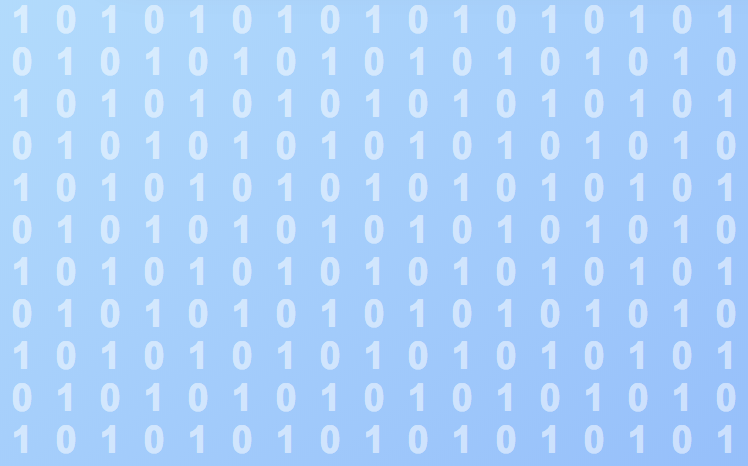
Each page also has a different background to keep loyal to the color theme.
Every background consists of a slight linear gradient and a low opacity
element placed on top of it. This element is a design decision that is most representative
of the cipher's essence, in a way. In the case of binary code, the whole window is covered
in a matrix of 1's and 0's. For Transposition, large text with shuffled
characters are used; and Sanctus Notis uses the only picture on the whole site -
a pair of praying hands.
Lastly, the design of the Design Document itself is supposed to imitate a
physical document, a notepad. To keep the flat design, it ommits a huge amount of
detail compared to a photorealistic image.
As you may see, the site as a whole puts a big emphasis on the design and every
choice was made with consideration to the minimalistic and flat direction.
Cipher template
Cipher Name Here
Cipher name
Bacon ipsum dolor amet venison meatball jerky strip steak, tenderloin ground round ham hock tongue brisket flank porchetta frankfurter t-bone. Short ribs shankle filet mignon pork chop. Sausage picanha tail turkey, cow corned beef capicola chicken shank tri-tip tenderloin pork salami.
The composition of the cipher pages, as can be seen on the skeleton
above, consists of several blocks. The number of the actual boxes may vary
depending on the cipher's keys and properties. However, every cipher
page should have a title at the top, a short description box right underneath,
and of course a dual translation window with two arrows inbetween.
The arrows become opaque depending on which textarea is active.